Setting up Google Analytics 4
Grant Iterant read access to your GA4 property to analyze website traffic and user behavior data.
Google Analytics 4 (GA4) tracks website traffic, user behavior, conversions, and engagement metrics. Connecting it to Iterant correlates your organic traffic patterns with AI visibility changes so you can see how AI search affects your business.
Prerequisites
- Editor or Administrator access to the GA4 property you want to connect.
- A GA4 property (not Universal Analytics). Google sunset Universal Analytics in July 2023. If you haven't migrated yet, create a new GA4 property first.
Step-by-step
Open Google Analytics
Go to analytics.google.com and use the property selector in the top-left corner to confirm you're looking at the correct GA4 property.
How to confirm you're in GA4: Check the URL bar. A GA4 admin URL looks like
analytics.google.com/analytics/web/#/p123456/admin/.... Thepfollowed by digits is your property ID. If the URL saystagmanager.google.com, you've opened Google Tag Manager instead.
Open Admin settings
Click the gear icon labeled Admin in the bottom-left corner of the sidebar.
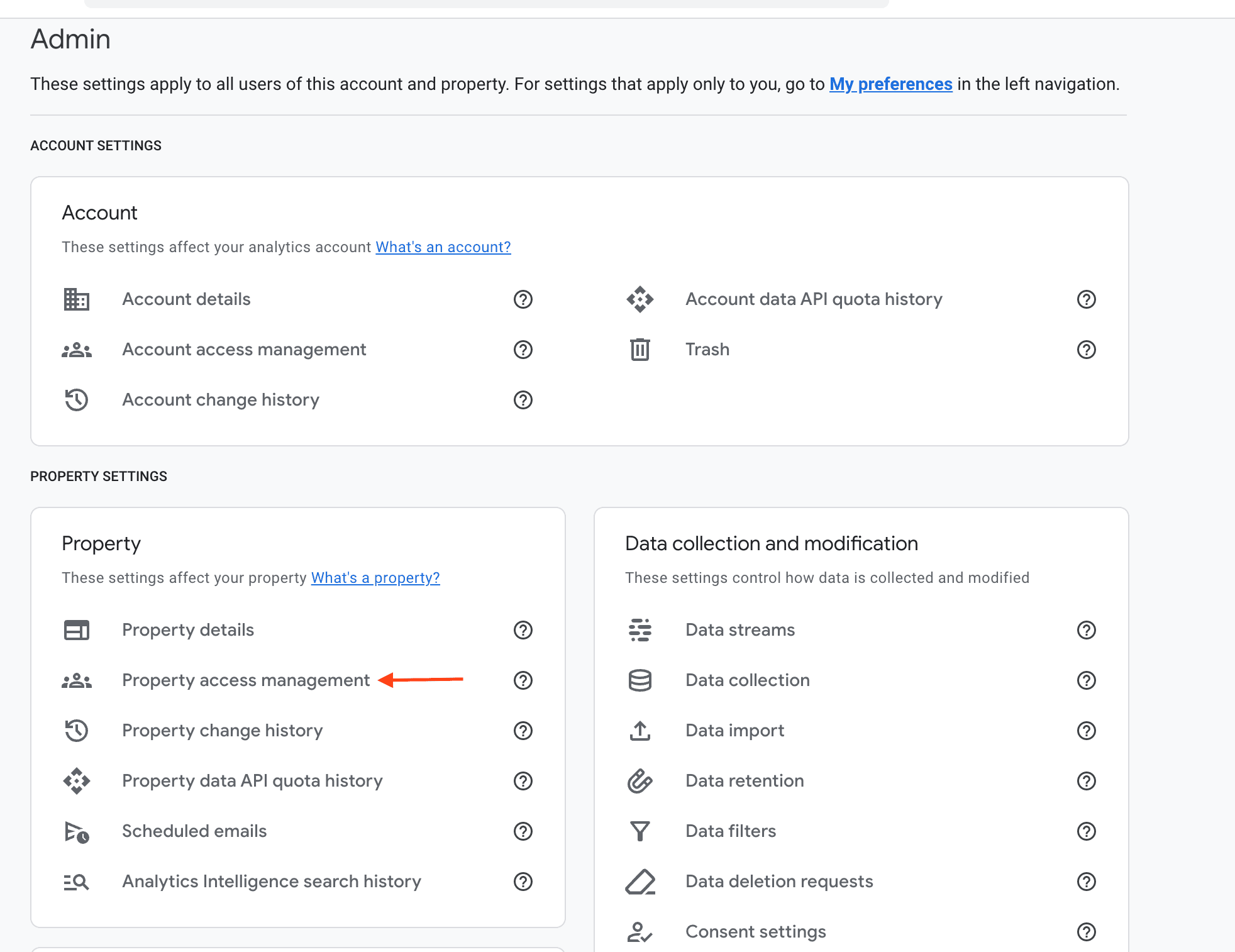
Open access management
The Admin page is split into columns. In the Property Settings section, find and click Property access management.
Add the Iterant service account
Click the blue + button in the top-right corner and select Add users.
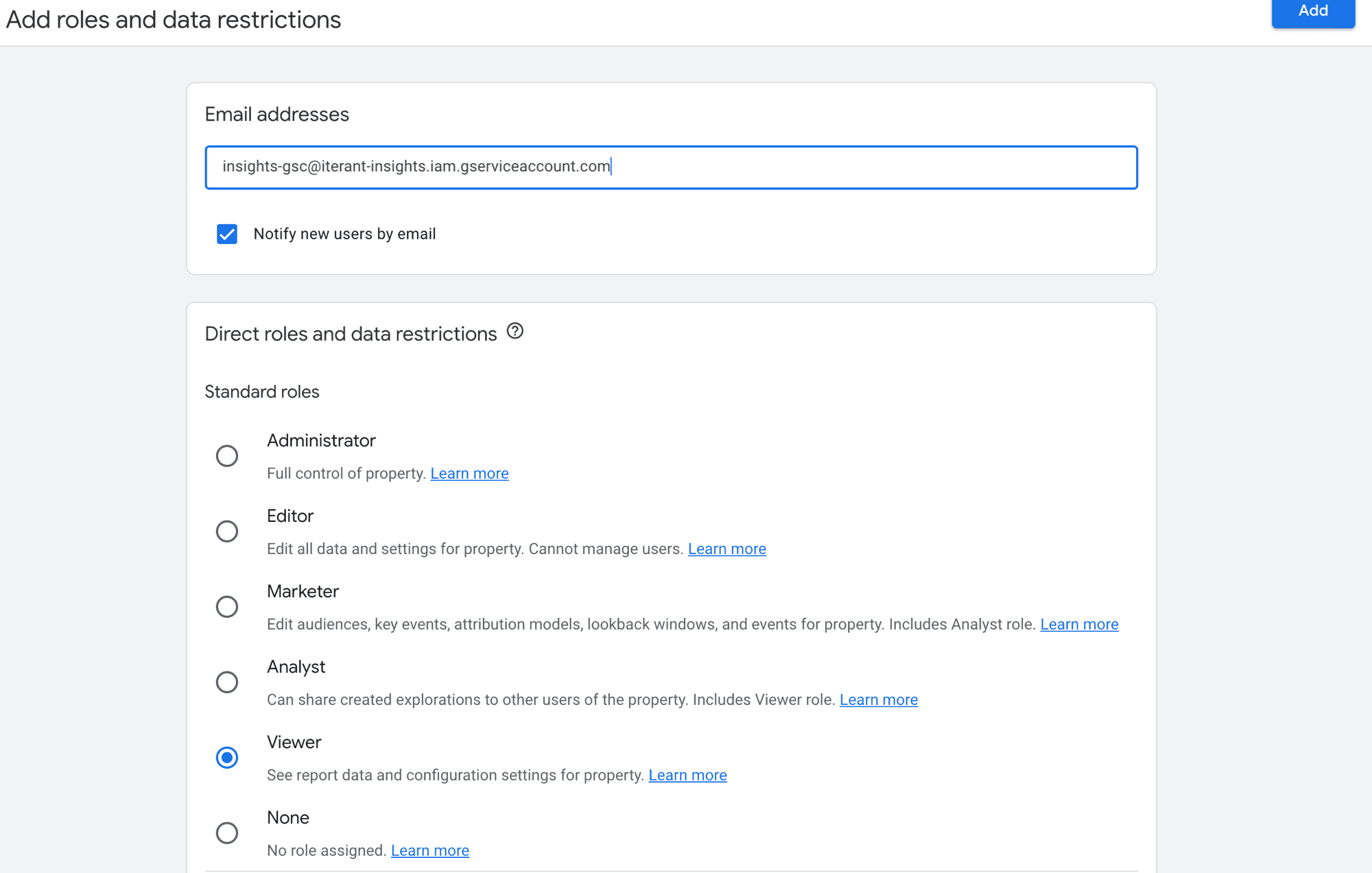
Enter the following email address:
insights-gsc@iterant-insights.iam.gserviceaccount.comUncheck "Notify new users by email". Service accounts don't have inboxes.
Set the role
Select Viewer from the role dropdown. This grants read-only access to your analytics data.
The role options are Administrator, Editor, Marketer, Analyst, Viewer, and None. If you only see two options (Administrator / User), you're looking at Google Tag Manager. Go back and switch to the correct product.
Confirm
Click Add. The service account is active right away.
What Iterant can see
With Viewer access, Iterant can read:
- Traffic data: sessions, users, page views, and traffic sources.
- Engagement metrics: bounce rate, session duration, and events.
- Conversion data: goals and e-commerce transactions.
- Audience information: demographics, devices, and geographic data.
It cannot modify property settings, create or edit events, change data retention, or manage user access.
Troubleshooting
Last updated on